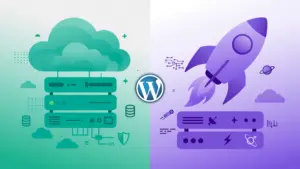
Quick answer: For most beginners who want a real website that can grow, WordPress.org (self-hosted) is the better pick — you own your site, you can install any plugin or theme, and it costs roughly $3–$10/month for hosting. WordPress.com is the easier start: zero maintenance and a free plan, but real freedom (plugins, custom themes, ad-free monetization) starts at $4–$8/month and full control costs $25–$45/month. Starting a hobby blog? WordPress.com Free is fine. Building anything you might one day earn money from? Go self-hosted from day one.
This is the single most confusing naming decision in all of website building. WordPress.com and WordPress.org sound like two versions of the same thing, and in a way they are — they run on the same core software. But they’re sold by different companies, with different rules, different prices, and very different ideas of who owns your website.
Pick wrong and you’ll pay for it later: migrating a site you outgrow is doable, but it’s a weekend you’ll never get back. This guide compares them the way a beginner actually experiences them — what they cost, what you can and can’t do on each, and which one fits your situation. No winner-takes-all theatrics, just the honest trade-offs with 2026 prices.
What is WordPress.com?
WordPress.com is a hosted service run by Automattic (the company founded by WordPress co-creator Matt Mullenweg). Think of it like renting a furnished apartment: you sign up, you get a website that works immediately, and Automattic handles all the maintenance — updates, security, backups, servers. You never touch a hosting control panel.
The trade-off is that it’s their apartment. Their terms of service apply, they decide which features unlock at which price, and on the free plan they show their own ads to your visitors.
WordPress.com plans and pricing (2026)
Prices below are annual billing, verified on WordPress.com’s pricing page in October 2026. Month-to-month billing costs more.
| Free | Personal | Premium | Business | Commerce | |
|---|---|---|---|---|---|
| Price | $0 | $4/mo ($48/yr) | $8/mo ($96/yr) | $25/mo ($300/yr) | $45/mo ($540/yr) |
| Domain | yoursite.wordpress.com | Custom domain (free 1st year) | Custom domain (free 1st year) | Custom domain (free 1st year) | Custom domain (free 1st year) |
| Storage | 1 GB | 6 GB | 13 GB | 50 GB | 50 GB |
| Ads | WordPress.com ads shown | Ad-free | Ad-free | Ad-free | Ad-free |
| Install plugins | No | Yes | Yes | Yes | Yes |
| Upload custom themes | No | No | No | Yes | Yes |
| Payment/monetization fees | 10% | 8% | 4% | 2% | 0% |
| E-commerce | No | Basic payments | Basic payments | Full store features | WooCommerce built in |
Two things changed recently that old guides get wrong:
- Plugins are no longer a Business-plan exclusive. Since September 2025, WordPress.com allows plugin installation on all paid plans — Personal ($4/mo) included. (One catch: this applies to new plans; if you’ve been on Personal or Premium for a while, you may need to renew or repurchase to unlock it.)
- Woo Express is gone. The old standalone WooCommerce product was folded into the Commerce plan, which is now the managed WooCommerce home.
WordPress.com pros and cons
Pros:
- Zero maintenance — updates, security, backups, and performance are Automattic’s problem, not yours
- Genuinely free starting tier; paid tiers start at just $4/month
- Simple dashboard; nothing technical to learn
- Built-in stats, spam protection, and CDN on every plan
Cons:
- You don’t own the platform — accounts can be suspended for terms-of-service violations
- No plugin installs on the Free plan; custom theme uploads still require Business ($25/mo)
- Payment blocks take a cut (8% on Personal, 4% on Premium); no third-party ad networks like AdSense on lower tiers
- Storage caps are strict: 1 GB on Free, 6 GB on Personal
- The free subdomain (yoursite.wordpress.com) looks amateurish on anything professional
What is WordPress.org?
WordPress.org is the free, open-source WordPress software itself — not a service. “Self-hosted WordPress” means you download that software (it’s free forever) and install it on web hosting you rent from a company like Bluehost or SiteGround. Back to the apartment analogy: this is buying your own place. You can knock down any wall you like, but the leaky faucet is your problem.
The software is free. The hosting is not. Here’s what beginners actually pay in 2026:
| Bluehost | SiteGround | |
|---|---|---|
| Intro price | $3.99/mo (36-mo term) | $2.99/mo (12-mo term) |
| Renews at | $9.99/mo | $17.99/mo |
| Sites / storage | 1 site, generous storage | 1 site, 10 GB, ~10k visits/mo |
| SSL, CDN, backups | Included | Included (daily backups) |
Typical first-year total: roughly $36–$120, depending on the host and term you pick. After the intro term, expect $10–$18/month on renewal — and budget ~$12–15/year for the domain once the free first year ends. Premium themes run ~$59/year and premium plugins ~$49–99/year each, but the free plugin directory (59,000+ plugins) covers everything a beginner needs.
Word of warning on renewals: SiteGround’s jump from $2.99 to $17.99/month is the steepest in the business — the best performance of the budget hosts, but set a calendar reminder before renewal. For the full breakdown, see our hosting comparison for beginners and our best WordPress hosting roundup.
WordPress.org pros and cons
Pros:
- You own everything — your files, your database, your domain, your audience
- Install any of 59,000+ free plugins and any theme, free or premium, with zero restrictions
- Monetize however you like: AdSense, affiliates, memberships — you keep 100%
- Full WooCommerce store with no per-plan e-commerce gate
- Usually cheaper than WordPress.com’s Business/Commerce tiers for equivalent freedom
Cons:
- You’re the maintenance crew: updates, backups, and security are on you (good hosts automate most of this)
- Slightly steeper learning curve — you’ll meet a hosting dashboard at least once
- A bad host choice can mean slow speeds and downtime; the host matters more here
WordPress.com vs WordPress.org: head-to-head
| WordPress.com | WordPress.org (self-hosted) | |
|---|---|---|
| Ownership | Automattic’s platform; their ToS apply | You own site, files, and data outright |
| Software cost | $0–$540/yr by plan | $0 — software is free and open source |
| Realistic beginner cost | $0 (Free) or $48–$96/yr | $36–$120 first year (hosting + domain) |
| Install plugins | Paid plans only (since Sept 2025) | Any plugin, always |
| Custom themes | Marketplace/premium by plan; uploads need Business+ | Any theme; upload freely |
| Ads on your site | Their ads on Free; yours restricted by tier | None unless you add them |
| Monetization cut | 10% → 0% payment-block fees by plan | Zero — you keep everything |
| E-commerce | Commerce plan ($45/mo) | Free WooCommerce on any hosting |
| Maintenance | Fully handled | Your responsibility (hosts help) |
| Support | Live chat (plan-dependent) | Host support + huge community |
| Move your site away | Export tool + importers; full moves take work | Full file/database access; move anywhere |
Which one should you choose?
Choose WordPress.com if:
- You just want to write, with zero maintenance. A hobby blog, a journal, a family site — if you’ll never install a plugin, the Free or Personal plan is the simplest path that exists.
- You’re testing whether blogging is for you. Starting free and upgrading later costs nothing but time.
- You need a simple brochure site for a local business and you’re certain you’ll never need custom plugins, a store, or ad revenue.
Choose WordPress.org (self-hosted) if:
- You plan to grow. Affiliate content, AdSense, SEO plugins like Rank Math, email capture forms — all unrestricted and free to add. If there’s any chance you’ll earn money from the site, start here.
- You want a real online store. WooCommerce on your own hosting has no plan gate and no revenue cut; the Commerce plan’s $540/year buys a lot of hosting instead.
- You want full ownership and lower long-term costs. Plugin-level freedom costs $4–$8/month on WordPress.com and full control costs $25–$45/month. Equivalent freedom on self-hosted WordPress is one $3–$10/month hosting bill.
The honest summary: WordPress.com sells convenience; WordPress.org sells control. Beginners overestimate how much maintenance self-hosting requires (modern hosts handle updates and backups automatically) and underestimate how fast they’ll outgrow a restricted plan. When in doubt, start self-hosted — it’s the choice you won’t have to undo.
Getting started with each
WordPress.com (10 minutes):
- Go to WordPress.com and create an account.
- Pick the Free plan (or Personal if you want your own domain without ads).
- Choose your site name, pick a theme, and publish your first post. Done — no hosting setup exists.
WordPress.org (about 30 minutes):
- Choose a host — Bluehost and SiteGround both offer one-click WordPress installs and a free domain for the first year.
- Register your domain during signup and let the host install WordPress for you.
- Log in to your new dashboard, pick a theme under Appearance → Themes, and install the plugins you need under Plugins → Add New.
- Write your first post. You now own the whole thing.
Can you switch later?
Yes, in both directions — but it’s not one click.
- WordPress.com → WordPress.org: WordPress.com has an export tool (posts, pages, comments, media), and the WordPress importer on your new self-hosted site pulls it in. Your theme and settings won’t transfer — you’ll rebuild the design. Budget a weekend.
- WordPress.org → WordPress.com: WordPress.com offers free assisted migration, and built-in importers handle the content. Going this direction is rarer — most people move the other way, once they hit a plan limit.
The migration exists, but the cheapest migration is the one you never do. If you suspect you’ll want plugins, a custom theme, or revenue within the year, skip WordPress.com’s paid tiers and start self-hosted.
FAQ
Is WordPress.org really free?
The software is 100% free, forever. You pay for the hosting it runs on (roughly $3–$10/month to start) and your domain name (~$12–15/year after the free first year most hosts include). “Free” refers to freedom, not just price.
Can I install plugins on WordPress.com?
On paid plans, yes — since September 2025, all paid plans (starting at Personal, $4/month) allow plugin installation. The Free plan still doesn’t. Custom theme uploads remain a Business-plan ($25/month) feature.
Which is better for SEO?
WordPress.org, by a clear margin. Full access to SEO plugins (Rank Math, All in One SEO), control over technical SEO, no platform restrictions on monetization or tracking. WordPress.com’s lower tiers limit what you can install and measure.
Which is better for a small business?
If the site is a simple brochure that will never need plugins or a store, WordPress.com Premium ($8/month) is fine and maintenance-free. If you might add booking, e-commerce, or marketing tools later, self-hosted WordPress.org avoids a painful migration.
Does WordPress.com own my content?
No — you own your content on WordPress.com, and you can export it any time. What you don’t own is the platform: Automattic controls the features, the rules, and can suspend accounts that violate their terms. On WordPress.org, you own the platform too.